


Rolling Icon: 3D Wallpaper
4.21.35K Reviews
App Specs
- Version
- 7.6.3
- Updated On
- License
- Free
- Downloads
- 10,000,000+
- Developer
- Maxlabs Personalization Tools
- Categories
- Personalization
- Platform
- Android
Screenshots
 Analysis by AppCompare
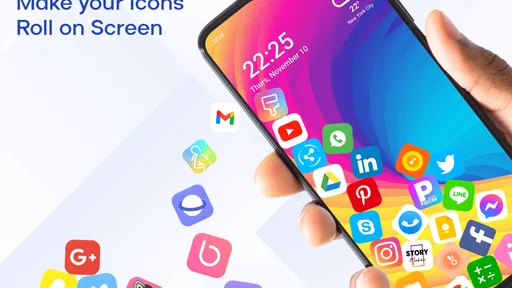
I judge a home-screen personalization app by whether its main effect feels pleasant after the first minute, not just impressive in a preview. Rolling Icon: 3D Wallpaper has a distinctive idea: icons move as though gravity is acting on them, making a familiar screen feel less fixed. I find that more interesting than another static background, though it suits people who enjoy a playful phone more than those who want an entirely still, understated layout.
What the rolling effect changes
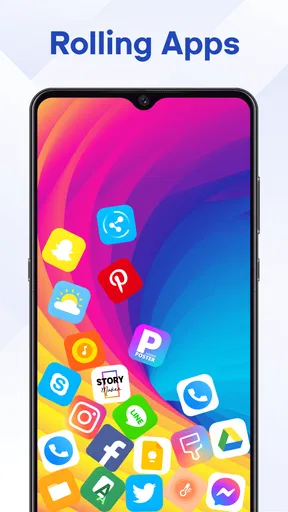
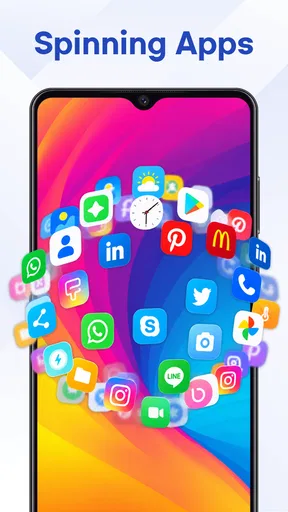
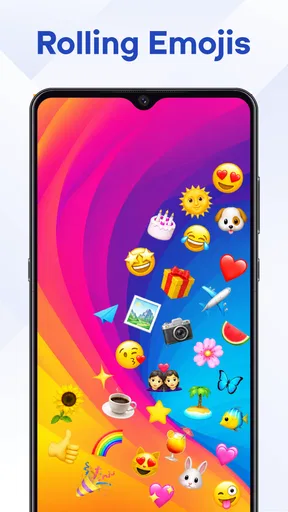
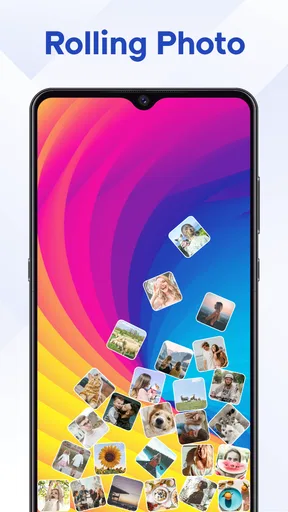
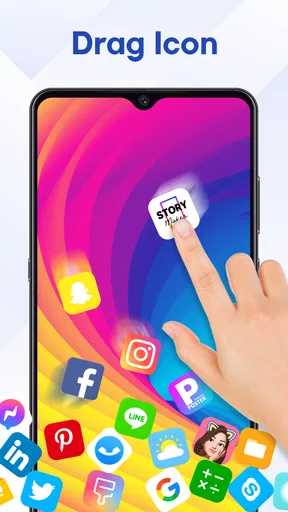
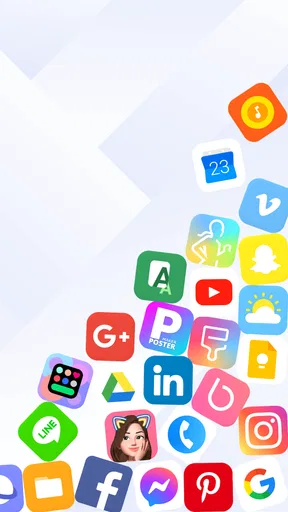
The central appeal is the contrast between ordinary app icons and their loose, animated motion. Instead of treating the home screen as a flat arrangement, the app gives it a sense of movement tied to real-world gravity. That small change can make routine moments—unlocking the phone or swiping to find an app—feel a little more tactile.
It is still a personalization app, not a new way to organize or use the phone. I would not choose it expecting practical improvements to app discovery or a redesigned operating system. Its value is visual: if you like the idea of icons appearing to roll rather than remain perfectly still, this is a more specific effect than simply changing the wallpaper color or image.
How it feels in everyday use
In practice, the animation is best thought of as a detail you notice in passing, not a feature that needs your attention all day. A quick glance at the home screen is enough to see the difference, and the effect can make an otherwise ordinary device feel more personal. I like that this concept has a clear identity instead of trying to be every kind of theme tool at once.
There is a trade-off, though: motion is the whole point. If you prefer icons to stay visually stable, or if you use a carefully arranged screen where every element needs to look consistent, the rolling behavior may feel distracting rather than charming. I would try it with a simple home-screen layout first, so the animation has room to stand out without competing with a dense collection of widgets and shortcuts.
A good fit for a small daily refresh
The app makes most sense for someone who is bored with a static home screen but does not want to rebuild the whole phone’s appearance. For example, if I unlock my device repeatedly during a busy day, a subtle bit of movement can make those brief interactions feel less monotonous without asking me to learn a new workflow. It is also an easy choice for anyone who enjoys showing friends a small visual surprise on their phone.
Compared with the usual alternatives in personalization—swapping a wallpaper, applying a conventional icon pack, or choosing a more restrained theme—this approach is less about matching colors and more about changing how the screen behaves visually. That makes it distinctive, but also narrower. If what you really want is a polished, coordinated look or a quiet background that keeps attention on your apps, a static wallpaper or an icon set is likely the better option.
Worth Reading Before You Choose

EA SPORTS FC Mobile 26 Is a Bigger Football Game, but It Takes Time

Flipboard Shows What News Apps Must Do Beyond the Feed

Switching to Android Auto Means Rethinking Your Driving Routine

Google Calendar Makes a Crowded Week Easier to Manage

Ludo King Makes the Most of the Minutes Between Plans

Baby Panda World Brings Quick Play to Modern Phones, but Its Game Library Feels Busy
What to consider before settling on it
I would treat the moving icons as an aesthetic choice rather than assume they will suit every home-screen setup. A useful way to judge the effect is to spend a normal day with the layout you actually use: check whether the motion still feels pleasant when you are opening an app in a hurry, not just when you are admiring the screen. If it competes with your focus, the novelty may wear off quickly.
It is also worth considering how much visual change you want. This app’s central idea is quite specific, so it will not replace a broader customization approach for someone who wants to coordinate wallpapers, widgets, and icons into a single restrained style. I would choose it for the rolling motion itself, not as a promise of a complete home-screen makeover.
Rolling Icon is free, with optional in-app purchases ranging from $4.99 to $39.99 per item. That gives you a chance to see whether its basic approach suits you before spending, but I would avoid buying anything until you know the effect fits your routine. The app is rated for Everyone, and its current version is 7.4.9; it requires Android 6.0 or later.
Who is likely to enjoy it
Maxlabs Personalization Tools has made a niche idea for people who like their phone to feel a little lively. The app has a 4.4 average from around 68,000 ratings, about 1.3 thousand written reviews, and over 10 million installs. Those figures suggest it has found an audience, but the right question for me is still whether you enjoy animation on a screen you see many times a day.
I would recommend trying it if you like playful visual details and want a home screen that feels different without relying on a static picture alone. I would skip it if motion is irritating, if you value a very clean and still layout, or if your main goal is practical organization. For those users, conventional wallpaper and icon customization will be more direct and less distracting.
A few practical choices that help
When testing a moving home-screen effect, I find it useful to keep the first setup simple. Avoid changing several visual elements at once; otherwise, it is hard to tell whether the rolling behavior itself is what you enjoy. A less crowded screen also makes it easier to judge whether the motion adds character or simply adds activity.
Another useful check is to try the app during different kinds of phone use. A playful effect may feel welcome while browsing casually but less suitable when you are trying to open a particular app quickly. The best fit is not necessarily the most animated arrangement; it is the one that remains comfortable after the novelty has settled.
If you are choosing between this and a standard wallpaper, think about what you want to change. A wallpaper changes the backdrop while leaving the familiar feel of the screen intact. This app is for someone who wants the icons themselves to contribute to the visual experience. That distinction makes the decision clearer and helps avoid expecting it to solve unrelated needs such as finding apps faster.
My recommendation
In my view, Rolling Icon: 3D Wallpaper is worth considering when you want a distinctive, gravity-inspired touch rather than a conventional cosmetic refresh. Its appeal is immediate and easy to understand, but its success depends on your tolerance for motion and the way you use your home screen. I would start with the free option, live with the effect in an ordinary routine, and only consider an in-app purchase if you are sure you want more.
For someone who likes playful personalization, that is a sensible low-commitment way to decide. For someone who prefers a calm interface, a static background will probably feel better in the long run. I like the clarity of the idea: it does one recognizable visual thing, and it is best for people who genuinely want that thing on their phone every day.
When I first stumbled upon Rolling Icon: 3D Wallpaper, I was intrigued by the promise of a dynamic home screen transformation. This app isn’t just about changing wallpapers; it’s about adding a whole new dimension to your smartphone experience. And yes, I had to see it for myself!
Getting Started with Rolling Icon
Installing Rolling Icon: 3D Wallpaper was a breeze. It’s available for both Android and iOS, so whether you’re Team Android or a die-hard Apple fan, you’re covered. Once downloaded, the app offers a quick tutorial to get you familiar with its features. Trust me, even if you're not tech-savvy, you'll get the hang of it in no time!
Features That Roll
The standout feature is, of course, the 3D effect. It’s not just a static image; it moves and shifts as you tilt your phone. This is powered by the gyroscope and accelerometer, creating an immersive experience that’s hard to describe unless you see it in action. It’s like having a window into another world right on your home screen.
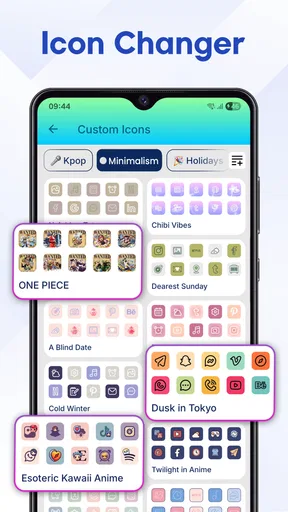
Another cool feature is the personalization aspect. You can choose from a variety of themes and icons that suit your mood or style. From minimalistic designs to vibrant artworks, there's something for everyone. Plus, if you’re feeling creative, you can even upload your own images to create a custom 3D wallpaper.
Interactivity and User Experience
Using the app is as intuitive as it gets. The interface is user-friendly, and navigating through the options is seamless. One of the things I loved is how interactive the icons are. They don’t just sit there; they roll and bounce as you swipe, making every interaction with your phone a little more fun.
Performance-wise, I didn’t notice any lag or battery drain, which is a huge plus. It seems the developers have done a fantastic job optimizing the app to ensure it doesn’t hog your phone’s resources.
Why You Should Try It
If you’re like me and get bored easily with the same old wallpaper, this app is a game-changer. It adds a unique flair to your device without being over-the-top. The 3D effect is subtle yet captivating, and it’s a great conversation starter when your friends catch a glimpse of your phone.
One thing to keep in mind is that while the app is free to download, there are some premium features that require a purchase. However, the free version offers plenty to explore and enjoy, so you won’t feel pressured to spend unless you want to unlock some of the more exclusive content.
Final Thoughts
Overall, Rolling Icon: 3D Wallpaper is a fantastic app for anyone looking to spice up their phone’s appearance. It’s easy to use, doesn’t drain your battery, and offers a range of customization options. Whether you’re a tech enthusiast or just someone who loves pretty wallpapers, this app is definitely worth a try.
So, if you’re ready to give your phone a little makeover, head over to the app store and check out Rolling Icon: 3D Wallpaper. Who knew that a simple wallpaper change could be this much fun?
Pros
- Unique and dynamic 3D wallpaper effects.
- Customizable options for personal touch.
- Low impact on battery life.
- Smooth integration with device settings.
- Frequent updates with new features.
Cons
- Limited free options
- many are premium.
- May slow down older devices slightly.
- Ads can be intrusive at times.
- Requires access to device settings.
- Some 3D effects may be distracting.
FAQs for Rolling Icon: 3D Wallpaper
What is Rolling Icon: 3D Wallpaper, and how does it work?
Rolling Icon: 3D Wallpaper is an innovative app that transforms your device’s home screen into a dynamic, interactive experience. By using 3D technology, it allows icons to roll, bounce, and interact with your phone’s movements. This app enhances visual appeal, making the interface lively and engaging.
Is Rolling Icon: 3D Wallpaper compatible with all devices?
While Rolling Icon: 3D Wallpaper is designed to work on most Android and iOS devices, it performs best on newer models with robust hardware. Older devices might experience reduced performance or limited functionality, so it’s recommended to check device compatibility before downloading.
Does Rolling Icon: 3D Wallpaper drain the battery quickly?
Rolling Icon: 3D Wallpaper uses advanced graphics, which can lead to increased battery consumption compared to static wallpapers. However, developers have optimized the app to minimize battery usage. Users can also adjust settings to balance performance and battery life to suit their needs.
Are there customization options available in Rolling Icon: 3D Wallpaper?
Yes, Rolling Icon: 3D Wallpaper offers a variety of customization options. Users can choose different themes, control icon behavior, and adjust sensitivity to motion. These features allow users to personalize the app according to their preferences, ensuring a unique and tailored experience.
Is Rolling Icon: 3D Wallpaper free to use, or does it require payment?
Rolling Icon: 3D Wallpaper is available as a free download with basic features. However, to access premium features such as exclusive themes and advanced customization, users may need to make in-app purchases. This allows users to enhance their experience based on individual preferences.


